
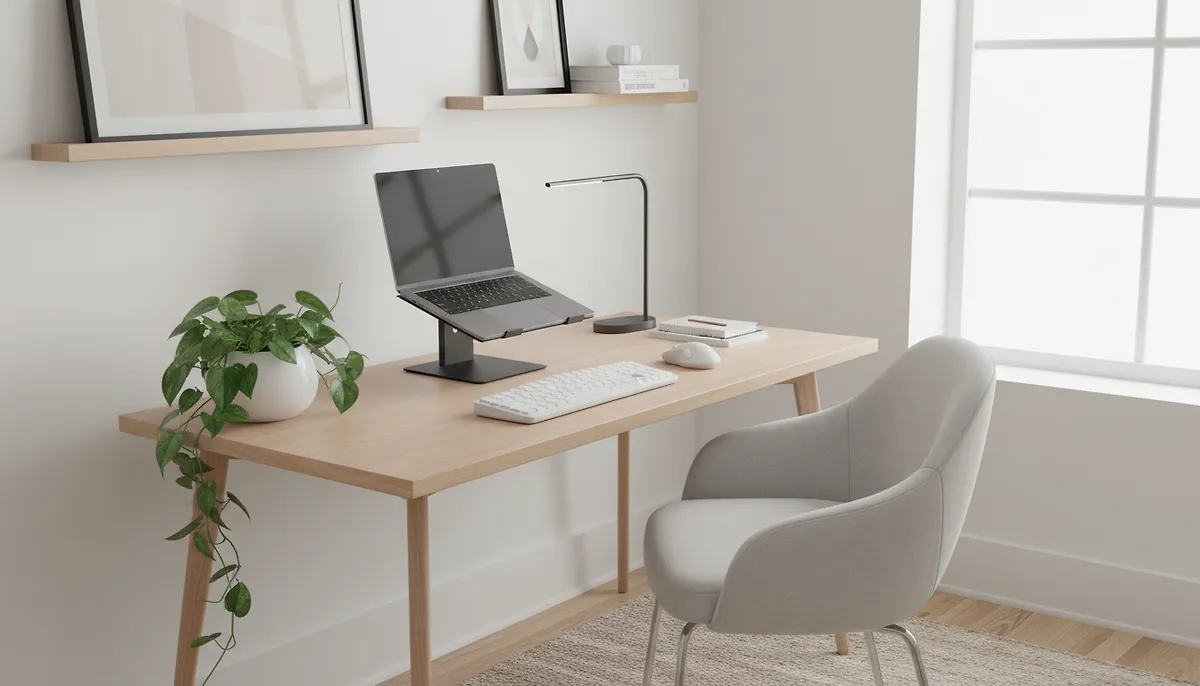
When I first traded my corporate office for a corner of my apartment, my initial setup was… let’s just say, less than ideal. I spent the first few weeks hunched over my laptop at the dining table, feeling that all-too-familiar tech-neck creep in by lunchtime. My back ached, my shoulders were tight, and my focus was shot by 3 p.m. I figured this was just the price of admission for the work-from-home life. But was it?
It turns out, the answer is a resounding no. You don’t need a dedicated home office or a four-figure budget to create a workspace that supports your body instead of fighting against it. Your work-from-home setup shouldn’t be a pain in the neck—literally. After a lot of trial and error (and a few too many days feeling like a folded-up pretzel), I’ve discovered that creating a comfortable, productive, and ergonomic workspace is all about making small, intentional choices. Even if you’re working from a tiny nook in your bedroom or a sliver of your living room, you can transform it into a place that fosters focus and well-being.
This guide is my playbook for doing just that. We’ll walk through everything from choosing the right chair (or hacking the one you have) to mastering monitor height and embracing simple tricks to improve your posture and energy throughout the day. Let’s make your WFH space work for you.
The Foundation: Your Chair is Your Throne (Even a Makeshift One)
Let’s be real: most of us living in apartments or smaller homes don’t have the space for a massive, executive-style ergonomic chair. And that’s okay! The goal isn’t to replicate a corporate high-rise office, but to support your body with what you have. The chair is the single most important piece of the puzzle, so it’s where we’ll start.
If You Can Get a Dedicated Chair…
If you have the budget and a little bit of space, investing in a decent ergonomic chair is a game-changer. You don’t need the top-of-the-line model. Look for these key features:
- Adjustable Height: Your feet should be able to rest flat on the floor with your knees at roughly a 90-degree angle.
- Lumbar Support: This is crucial. A good chair will have a curve that supports the natural inward curve of your lower back. Adjustable lumbar support is even better.
- Adjustable Armrests: You want your arms to rest gently on them with your shoulders relaxed, not hunched. Your elbows should be at about a 90-degree angle.
- Swivel and Wheels: These aren’t just for fun—they allow you to move freely to reach things without straining or twisting your body.
And remember, ergonomic doesn’t have to mean ugly! There are so many stylish, minimalist options available now that blend beautifully into a modern home.
Hacking Your Existing Chair for Maximum Comfort
Okay, so what if a new chair isn’t in the cards? Welcome to the club! For a long time, my “office chair” was one of our dining chairs. Here’s how to upgrade whatever you’re sitting on.
The Magic of a Lumbar Pillow: This is my number one hack. If you do nothing else, get a lumbar support pillow. It’s a small, inexpensive addition that makes a world of difference by preventing you from slouching and supporting your lower back. You can even roll up a bath towel and place it in the curve of your back in a pinch.
Use a Seat Cushion: If your chair is too low for your desk, a firm seat cushion can give you the extra inch or two you need to get your elbows to that ideal 90-degree angle. It also adds a layer of comfort for those long meetings.
Create a Footrest: Are your feet dangling? This puts strain on your lower back. The solution is simple: create a footrest. You don’t need to buy anything fancy. I’ve used a stack of old textbooks, a yoga block, and even a sturdy shoebox. The goal is just to have a stable surface where your feet can rest flat, keeping your knees happy.
It’s All About the Angles: Desk & Monitor Placement
Once your seating is sorted, the next step is arranging your desk area. The guiding principle of ergonomics is all about alignment. Think 90-degree angles at your elbows and knees, and a straight line from your head through your spine.
The Laptop Problem (and its Simple Solution)
I love my laptop for its portability, but it’s an ergonomic disaster. By design, if the screen is at the right height, the keyboard is too high, and if the keyboard is in the right spot, you’re craning your neck down to see the screen. Friends often ask me, “Avery, how do you manage in your apartment without a huge monitor?” and my answer is always the same: I separate my screen from my keyboard.
This is the non-negotiable rule of a comfortable laptop setup:
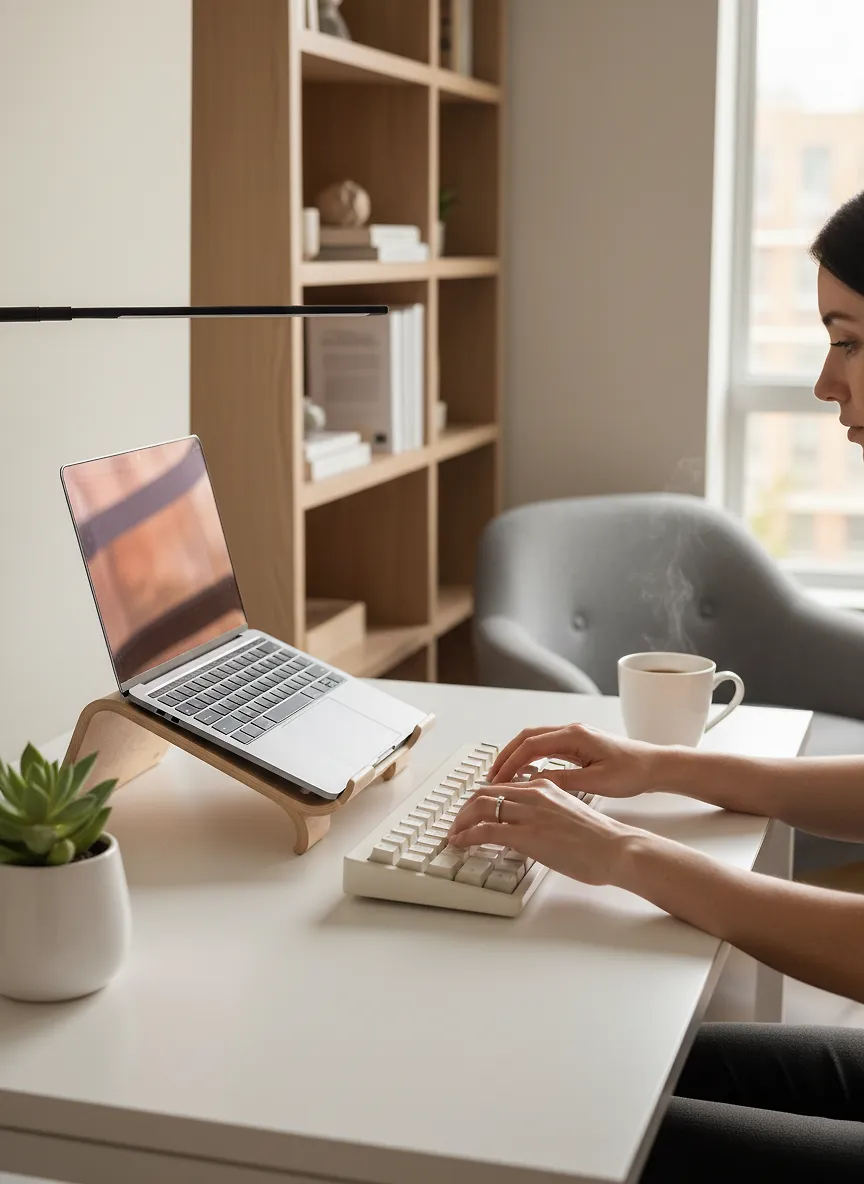
Elevate your laptop screen to eye level and use an external keyboard and mouse.
You can use a dedicated laptop stand (there are tons of sleek, foldable ones perfect for small spaces) or get creative. For the first year of WFH, my personal, not-so-glamorous solution was a stack of my favorite cookbooks! It worked perfectly. The top of your screen should be at or just below eye level. This one change will eliminate that dreaded forward head posture and relieve so much tension in your neck and shoulders.
Finding Your “Desk” in a Small Space
Your “desk” might be a kitchen counter, a console table, or a corner of the dining table. The key is to make it work for you during work hours. If you’re using a multi-purpose surface like the dining table, create a ritual around setting up and packing away your workspace. This not only keeps your home tidy but also creates a psychological boundary between “work time” and “home time,” which is essential for balance.
If you’re looking for a more permanent solution, consider a wall-mounted floating desk or a narrow “ladder” desk. These have a small footprint but provide a dedicated, defined workspace that can help you get in the zone.
Beyond the Basics: Small Hacks for Big Comfort
You’ve got your chair and your screen height sorted. Now for the finishing touches—these are the little things that add up to a much more comfortable and productive day.
Let There Be (the Right) Light
Eye strain is a major contributor to WFH fatigue. To combat it, pay attention to your lighting. Try to position your workspace perpendicular to a window (so the light is coming from the side) rather than directly in front of or behind it. This minimizes glare on your screen. In the evenings or on gray days, a simple, warm-toned desk lamp can provide focused light and make your space feel cozier while preventing you from straining to see.
Movement is Medicine
Even the most perfect ergonomic setup can’t beat the human body’s need to move. As a former corporate strategist, I used to think productivity meant being chained to my desk. Now, I know true productivity comes from balance.
Embrace Micro-Breaks: Set a timer to get up and stretch every hour. Walk to the kitchen for a glass of water, do a few shoulder rolls, or simply stand up while you take a phone call. I live by the 20-20-20 rule: every 20 minutes, look at something 20 feet away for 20 seconds to give your eyes a break.
Comfortable Clothes that Move: This is where my passion for high-quality essentials comes in. Just because you’re in clothes that feel like pajamas doesn’t mean you should be sedentary. In fact, a great minimalist loungewear capsule wardrobe should be comfortable enough to focus in and flexible enough for a quick midday stretch or a walk around the block.
Taking these small breaks isn’t a luxury; it’s a non-negotiable part of a sustainable work-from-home routine. It’s one of the most effective forms of practical self-care for busy professionals you can practice. Your body—and your brain—will thank you.
Creating an ergonomic setup in a small space isn’t about achieving some Instagram-perfect ideal. It’s about listening to your body and making small, iterative adjustments that add up to a big difference in your daily comfort and long-term health. It’s about being intentional with your space so you can end the workday with energy left over for your family, your hobbies, and yourself.
Here’s to a workday that feels as good as it is productive.
All my best,
Avery